Travel Scam Awareness: Security Tips for Any Trip
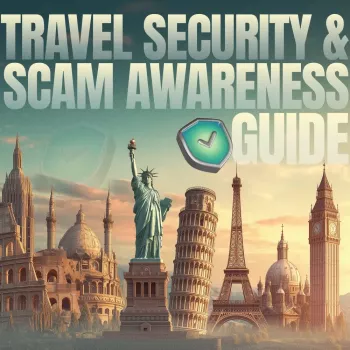
Travel Security and Scam Awareness Handbook for Tourists, Solo Travelers, and Business Trips
Travel brings new places, new people, and new routines—exactly the conditions scammers and thieves rely on. A strong safety plan blends street-smart habits with digital hygiene: protecting identity, money, devices, and access to work or personal accounts. This guide organizes practical steps by travel phase (before, during, after) and highlights the most common scams, red flags, and fast responses when something goes wrong.
The core threats travelers face today
- Opportunistic theft: pickpocketing, bag snatches, “grab-and-go” phone theft, luggage tampering.
- Financial fraud: card skimming, counterfeit ATMs, “helpful” strangers at ticket machines, fake booking confirmations.
- Social engineering: fake police checks, staged emergencies, romance/companionship cons, pressure tactics.
- Digital compromise: public Wi-Fi interception, QR code traps, SIM swap risks, device shoulder-surfing, malicious charging ports.
- Business-travel risks: targeted spear-phishing, meeting-invite scams, hotel lobby eavesdropping, confidential document exposure.
It’s rarely one dramatic heist. Most losses come from small openings: a phone held loosely near a curb, a rushed login on free Wi-Fi, a tired “yes” to a stranger offering help. Closing those openings is the goal.
Pre-trip setup: reduce damage before anything happens
- Lock down accounts: enable multi-factor authentication, update passwords, and store backup codes offline.
- Harden devices: full-disk encryption, strong passcodes (not 4-digit), auto-lock, and “find my device” enabled.
- Backups: cloud backup plus one offline copy of critical documents (passport scan, visas, insurance, itinerary).
- Payment planning: carry at least two payment methods stored separately; set travel notices where required; lower card limits if possible.
- Communication plan: share a check-in schedule with a trusted contact; store emergency numbers locally (not only in email).
- Business trip add-ons: separate work/personal profiles, least-privilege app permissions, and a clean “travel-only” device where feasible.
Pre-trip checklist for physical and digital safety
| Task | Why it matters | Quick tip |
|---|---|---|
| Enable MFA and save recovery codes | Prevents lockout and account takeover | Store codes in a password manager and a printed copy kept separately |
| Turn on device encryption + strong passcode | Protects data if a phone/laptop is stolen | Use 6+ digits or an alphanumeric passcode; disable lock-screen previews |
| Set up remote tracking and wipe | Speeds recovery and limits exposure | Test a remote “ring/locate” action before departure |
| Back up photos and documents | Avoids losing irreplaceable files | Auto-upload on trusted networks only |
| Split money/cards | Reduces single-point failure | One card stays locked in accommodation, one stays on-body |
| Create a “lost wallet/phone” note | Faster response under stress | Include bank numbers, device IMEI/serial, insurer, embassy details |
On-the-ground habits that prevent most incidents
Common scams, red flags, and what to do next
Scam pattern quick-reference
| Scam pattern | Red flags | Best response |
|---|---|---|
| Distraction theft | Bumping, spills, sudden commotion | Secure bag/phone immediately; move to a wall; leave the area |
| Fake official | No clear ID, urgency, cash-only demands | Ask to call local police via official number; refuse cash payments |
| ATM assistance scam | Stranger insists on helping, keypad shielded | Cancel transaction; leave; use another ATM inside a bank |
| QR code trap | Sticker overlay, mismatched branding | Use official app/site; do not enter payment data from scanned codes |
| Wi-Fi evil twin | Network name mimics venue, captive portal prompts logins | Avoid sensitive logins; use hotspot or VPN; forget network after use |
| Taxi/rideshare manipulation | Plate mismatch, driver pressures route/payment changes | Exit safely; report in-app; use official taxi stands |
Digital safety while traveling: phones, laptops, and public networks
For government and cyber safety updates, review official guidance before departure at U.S. Department of State — International Travel, and keep a baseline of online-safety habits aligned with UK National Cyber Security Centre — Staying Secure Online. For scam trends and fraud awareness resources, see Europol — Advice on Fraud and Scams.
If something goes wrong: a 30-minute response plan
Practical tools that help build safer travel routines
Recommended printable resources (in stock)
- Travel Security & Scam Awareness Guide | Digital Safety Handbook for Tourists, Solo Travelers & Business Trips (USD 10.99) — a ready-to-print reference for checklists, red flags, and response steps.
- Modern Etiquette Micro-Course | Printable Digital Etiquette Guide (USD 8.99) — helpful scripts for quick exits, refusals, and calmer interactions when someone is pressuring you.
- Mindful Clarity: Journal & Prompts | Printable Journal with Daily Mindfulness Prompts, Gratitude Exercises & Reflective Quotes for Mental Well-Being (USD 23.99) — a simple way to stay grounded on long trips and reset after stressful moments.
FAQ
What should be done first if a phone is stolen while traveling?
Get to a safe location first, then use another device to mark the phone as lost and lock it. Change your email password before other accounts, revoke active sessions, lock payment cards, and contact your mobile carrier.
Is public Wi‑Fi safe for booking hotels and checking email?
Treat public Wi‑Fi as untrusted: avoid sensitive logins and payments whenever possible and use a personal hotspot instead. If you must use it, use a reputable VPN and confirm sites via official apps or typed URLs.
How can solo travelers avoid being targeted without seeming rude?
Use brief, confident refusals and keep moving rather than debating. Avoid sharing where you’re staying, stick to well-lit routes, and use simple check-ins with a trusted contact to stay accountable.








Leave a comment